

You download a great model. You drag it into Source Filmmaker. Nothing happens.
That moment trips up almost every new animator. The fix is SFM Compile: the process of turning raw 3D files, textures and maps into formats the Source engine can read. Once you understand it, importing custom characters, props and sets stops feeling like guesswork.
This guide covers what the term means, which tools you need, how QC files work and how to fix the errors that waste hours. It also includes ready-to-copy templates and clear comparisons with Garry’s Mod.
Quick answer: SFM Compile means converting your source assets (meshes, textures, maps) into Source engine formats such as .mdl, .vtf, .vmt and .bsp. You write a QC script, run it through studiomdl (usually via Crowbar) and copy the results into SFM’s game folder.
What Does SFM Compile Mean?
People use the phrase for several different jobs. Knowing which one you need saves you from reading the wrong tutorial.
Source Filmmaker (SFM) is Valve’s movie-making tool for the Source engine. Valve describes it on the official Steam page as a tool “built and used by us here at Valve” to make movies. The software is free. The assets you bring into it are not automatically ready, though.
SFM only loads files in Source formats. Your Blender scene or Maya project means nothing to it. Compiling is the bridge.
Model compile
This is the main meaning. A model compile takes mesh files (SMD or DMX), animations and a QC script. The compiler turns them into a set of binary files.
A finished model usually includes:
- .mdl: the main model file with bones, bodygroups and sequences
- .vvd: vertex data
- .vtx: mesh strips for rendering (often several variants)
- .phy: physics or collision data (only when you define collision)
The tool doing the work is studiomdl.exe. Most creators run it through Crowbar rather than typing commands.
Material compile
Textures need their own conversion. Image files like PNG or TGA become VTF (Valve Texture Format) files. Each texture then needs a VMT (Valve Material Type) text file. The VMT tells the engine which shader to use and which textures to apply.
Skip this step and your model shows the famous purple-and-black checkerboard.
Map compile
Maps built in Hammer go through three compile tools. VBSP builds the geometry. VVIS calculates visibility. VRAD bakes lighting. The result is a .bsp file that SFM can load as a set.
Render versus compile
Some websites use SFM Compile to describe exporting a finished movie. That job is rendering. It produces video or image sequences and has nothing to do with studiomdl. A later section covers it briefly so you can tell the two apart.
Why Source Filmmaker can’t open your original model file
Source engine games ship with optimized binary files. The engine expects exact vertex layouts, bone tables and material paths. Open formats like .blend or .fbx don’t carry that data in the right shape.
Compiling also bakes in decisions the engine needs:
- Which bones deform which vertices
- Where the model’s textures live on disk
- How the model collides with the world
- Which animation plays by default
Quick comparison of compile types
| What you build | Source files | Tool | Output files |
|---|---|---|---|
| Model | SMD, DMX, QC | studiomdl (Crowbar) | MDL, VVD, VTX, PHY |
| Material | PNG, TGA, PSD | VTFEdit or a VTF plugin | VTF, VMT |
| Map | VMF | VBSP, VVIS, VRAD | BSP |
| Movie | SFM session | SFM export | Video or image sequence |
How SFM Compile Fits Into the Source Filmmaker Pipeline
Think of the pipeline as a relay race. Each stage hands a file to the next.
3D model (Blender, Maya, 3ds Max)
        |
   Export SMD or DMX
        |
   Textures --> VTF + VMT
        |
   Write QC script
        |
   studiomdl (via Crowbar)
        |
   Files in SFM's usermod folder
        |
   Model Browser --> Animation Set --> Scene
        |
   Render
Compiling sits right in the middle. Anything wrong before it breaks the compile. Anything wrong during it breaks the model in SFM.
Here’s the practical takeaway. Fix problems at the earliest stage possible. A wrong scale in Blender costs five seconds to fix. The same mistake found inside SFM costs a full recompile.
Software You Need for SFM Compile
The toolset is small and mostly free. Here’s what each piece does.
| Tool | Purpose | Cost | Required? |
|---|---|---|---|
| Source Filmmaker | Loads and animates compiled models | Free | Yes |
| Crowbar | Compiles and decompiles models | Free | Practically yes |
| Blender plus Blender Source Tools | Builds and exports SMD or DMX | Free | One 3D app is required |
| VTFEdit or similar | Converts images to VTF | Free | Yes for custom textures |
| Text editor | Edits QC and VMT files | Free | Yes |
| Hammer | Builds maps | Free (with SDK) | Only for maps |
Source Filmmaker
SFM is free on Steam. Install it and launch it at least once. That first run creates the folders and configuration files other tools look for.
Valve still lists it as a free public beta on its Steam store page. Valve first opened that beta to everyone in 2012, as PC Gamer reported.
Crowbar
Crowbar is the tool most creators reach for. It wraps studiomdl in a simple window and adds decompiling, VPK unpacking and a model viewer. The community hub is the Crowbar Steam group, founded in October 2013.
Crowbar needs to know which game you target. That’s the Set Up Games tab. For Source Filmmaker, point it at SFM’s own studiomdl.exe and its gameinfo.txt.
3D modeling software
Blender is the common choice because it’s free and has a solid exporter. Blender Source Tools adds SMD and DMX export. Maya and 3ds Max work too with the right plugins.
Texture tools
VTFEdit (or a plugin for Photoshop or GIMP) turns your image into a VTF. Keep the original PNG or TGA. You’ll need it whenever you change the texture later.
Helpful extras
- Crowbar’s Preview tab: checks the compiled model before you open SFM
- Crowbar’s Unpack tab: pulls files out of game VPK archives
- Notepad++ or VS Code: better than Notepad for QC files
SMD vs. DMX: Which Export Format to Use
Your exporter offers two main formats. Both work for SFM Compile. They differ in what they store.
| Feature | SMD | DMX |
|---|---|---|
| Format type | Plain text | Binary or text (Valve data model) |
| Meshes and skeleton | Yes | Yes |
| Animation | Yes | Yes |
| Facial flexes | Separate VTA file | Built in |
| Typical use | Props, simple characters | Characters with facial animation |
| Compatibility | Works in most Source branches | Best in SFM and newer branches |
Use SMD for props and anything without facial animation. The format is simple and easy to debug since you can open it in a text editor.
Use DMX when your character needs facial flexes (shape keys in Blender). The flex data travels inside the file. With SMD you’d juggle a separate VTA file.
Common export mistakes
- Unapplied transforms: scale or rotation values stay hidden on the object and the model arrives distorted
- Wrong up axis: Source expects Z up. A model exported Y-up lies on its back
- Wrong scale: Source units are small. A human model stands roughly 72 units tall
- Loose geometry: stray vertices cause weight errors during the compile
Understanding the QC File
The QC file is a plain text script. It tells studiomdl what to build. The compiler reads it line by line. The Valve Developer Community QC page documents the full command list.
What a QC file does
Think of it as a recipe. The ingredients are your SMD or DMX files and your textures. The QC says which ones go in the model and how they combine.
A basic QC answers five questions:
- What’s the model called and where does it live?
- Which mesh files form the body?
- Where are the materials?
- What animations exist?
- Does the model need physics?
Key QC commands
| Command | Purpose | Required? |
|---|---|---|
$modelname | Output path and name | Yes |
$body / $bodygroup | Mesh files in the model | Yes |
$cdmaterials | Folder holding the materials | Yes |
$sequence | Animations (at least one) | Yes |
$surfaceprop | Physical material (sounds, impacts) | Recommended |
$collisionmodel | Physics mesh | Only for physics |
$texturegroup | Skin variants | Optional |
$definebone | Pins bone positions | Optional |
$attachment | Attachment points | Optional |
$staticprop | Marks a non-animated prop | Optional |
$illumposition | Lighting sample position | Optional |
$modelname
This sets the output path relative to the models folder. $modelname "props_custom/crate.mdl" produces models/props_custom/crate.mdl. Use a unique subfolder so your files never collide with other addons.
$body
$body names a mesh and points to its file. Example: $body "crate" "crate_ref.smd". Use $bodygroup instead when you want swappable parts, such as hats or armor, that SFM can toggle.
$cdmaterials
This command tells the engine where to look for materials. The path starts from the materials folder and ends with a slash. $cdmaterials "models/props_custom/crate/" makes the engine search materials/models/props_custom/crate/.
This is the most common source of checkerboard textures. The path in the QC must match the real folder exactly.
$sequence
A sequence is an animation. Every model needs at least one. A prop usually has a single idle pose. A character has many.
$sequence idle "crate_ref.smd" { fps 1 }
For looping animations add loop. Set fps to match your animation frame rate (30 is standard).
$collisionmodel
This command adds a physics mesh. It’s a simplified shape that approximates your model. Use it when the model must collide with other objects. For SFM scenes that only use a model as a visual prop, you can skip it.
$surfaceprop
This names the physical material, such as wood, metal or flesh. The engine uses it for impact and footstep sounds. Pick the closest match.
$definebone
Some rigs need bones pinned in place so animations from other models fit. Crowbar can write these lines for you. According to the Valve Developer Community, you tick the “definebones” checkbox in Crowbar’s Compile tab. You can also save the output to a QCI file.
A simple annotated QC for a static prop
// Output path inside the models folder
$modelname "props_custom/crate_small.mdl"

// Marks the model as a non-animated prop
$staticprop

// The visible mesh
$body "crate" "crate_ref.smd"

// Material folder (must end with a slash)
$cdmaterials "models/props_custom/crate_small/"

// Physical material for sounds
$surfaceprop "wood"

// One required animation
$sequence idle "crate_ref.smd" {
    fps 1
}

// Optional physics mesh
$collisionmodel "crate_phys.smd" {
    $mass 15
}
Save this as crate_small.qc in the same folder as your SMD files. Replace the names with your own.
A QC for a posed character
$modelname "custom/hero/hero.mdl"
$upaxis Z
$scale 1.0

// Swappable head part
$bodygroup "head"
{
    studio "hero_head.smd"
    blank
}

$body "body" "hero_body.smd"
$cdmaterials "models/custom/hero/"

// Two skins
$texturegroup "skins"
{
    { "hero_body" "hero_head" }
    { "hero_body_alt" "hero_head_alt" }
}

$attachment "eyes" "head" 0 0 0
$illumposition 0 0 36

$sequence reference "hero_ref.smd" { fps 1 }
$sequence idle "hero_idle.smd" { fps 30 loop }
The blank entry in the bodygroup lets you hide the head in SFM. The texture group gives you a second skin without a second model.
What you can skip
New creators often over-build their QC. For most SFM props, you need only four things: a model name, a body, a materials path and one sequence. Add physics, attachments and extra skins only when your scene needs them.
Step-by-Step: How to Compile a Model for SFM
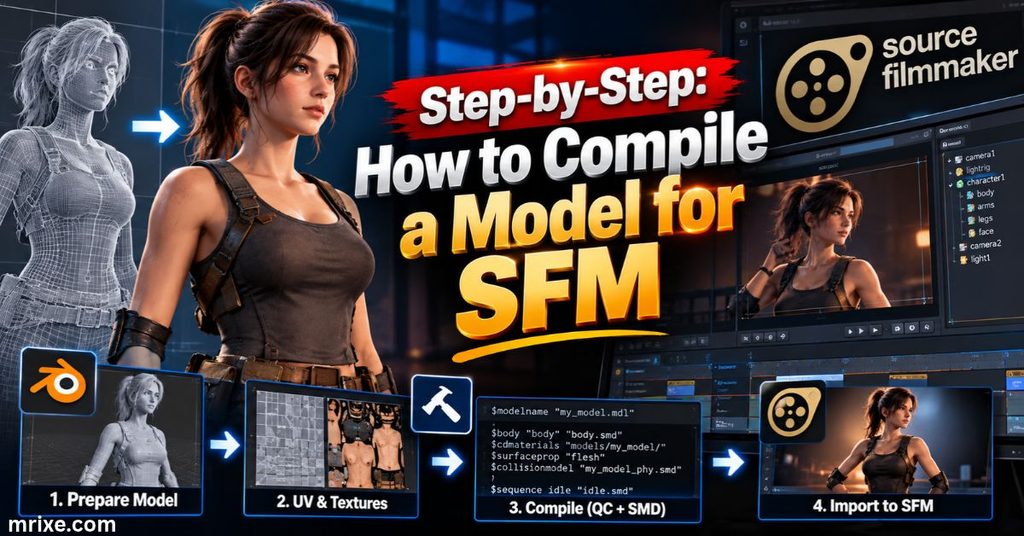
This workflow works for props and characters alike. Follow it in order and most SFM Compile problems never appear.
Prepare the mesh
Clean the model before you export anything.
- Apply scale, rotation and location transforms
- Delete stray vertices and hidden faces
- Check normals so no faces point inward
- Confirm the model uses Z up
- Name materials clearly (these names must match your VMT files)
For characters, check bone names and hierarchy now. Fixing them later means re-exporting everything.
Export the model
Use Blender Source Tools (or your plugin of choice) to export. Create a clear folder, for example work/crate_small/. Export the reference mesh as crate_ref.smd. Export any physics mesh as crate_phys.smd.
Characters with animations need one export per sequence. Facial flexes call for DMX.
Convert textures and write the VMT
Open each texture in your VTF tool. Make sure dimensions are powers of two, such as 512 or 1024. Source 1 textures commonly top out at 4096 pixels per side. Save as VTF.
Then write a VMT:
"VertexLitGeneric"
{
    "$basetexture" "models/props_custom/crate_small/crate_diffuse"
    "$bumpmap"     "models/props_custom/crate_small/crate_normal"
    "$surfaceprop" "wood"
}
Note that the paths have no file extension. They start from the materials folder.
Write the QC file
Use the templates above. Double-check three lines before moving on: $modelname, $cdmaterials and the file names in $body and $sequence.
Set up Crowbar for SFM
Open Crowbar and go to Set Up Games. Choose Source Filmmaker from the preset list if it’s there. Otherwise add it by hand.
The key setting is the compiler path. SFM’s compiler lives at:
...\steamapps\common\SourceFilmmaker\game\bin\studiomdl.exe
This setup step causes a surprising number of failures. A real Crowbar forum thread shows the error that appears when the path is wrong: Crowbar reports that the model compiler “does not exist.” The fix was to open the Set Up Games tab and select the correct game.
Compile
Switch to the Compile tab. Browse to your QC file. Choose the output option that places files in the game’s models folder. Click Compile.
Crowbar shows the compiler’s output in the log window. A clean compile ends with a line saying it finished.
Read the compile log
Always scroll through the log. Warnings don’t stop a compile but they hint at future problems.
Pay attention to:
- Missing file messages: a path in the QC is wrong
- Bone warnings: the rig has mismatches
- Material messages: a texture name doesn’t match
- Zero output: the wrong compiler ran
Copy files into the correct SFM folders
If Crowbar didn’t place the files automatically, copy them by hand. SFM’s custom content lives in the usermod folder:
| File type | Destination |
|---|---|
| MDL, VVD, VTX, PHY | SourceFilmmaker\game\usermod\models\props_custom\ |
| VMT, VTF | SourceFilmmaker\game\usermod\materials\models\props_custom\crate_small\ |
| BSP (maps) | SourceFilmmaker\game\usermod\maps\ |
Folder structure must match your QC paths exactly.
Load the model in SFM
Open SFM and load or create a session. In the Animation Set Editor, right-click and choose Create Animation Set for New Model. Search the Model Browser for your model name.
Check these right away:
- Is the scale right next to a default character?
- Do all textures appear?
- Do bones move the correct parts?
If you recompiled a model SFM already loaded, restart SFM. The editor can cache the old version.
Command-line alternative
Crowbar isn’t mandatory. You can call the compiler yourself:
studiomdl.exe -game "C:\...\SourceFilmmaker\game\usermod" -nop4 crate_small.qc
The -game flag points to the folder containing gameinfo.txt. The -nop4 flag skips Perforce checks. This route suits batch scripts and automated builds. The Studiomdl page lists every available option.
Materials in SFM Compile: VTF and VMT Basics
Models without proper materials look broken even when the mesh compiles perfectly. Spend time here.
What each file does
- VTF: the actual image data in Source’s format
- VMT: a small text file that selects a shader and links textures
The Valve Texture Format page covers compression options in depth.
Common VMT parameters
| Parameter | What it does |
|---|---|
$basetexture | The main color texture |
$bumpmap | Normal map for surface detail |
$phong | Turns on shiny highlights |
$phongexponent | Controls highlight tightness |
$translucent | Enables alpha transparency |
$nocull | Draws both sides of faces |
$surfaceprop | Physical material tag |
Choosing a compression format
| Texture type | Typical format |
|---|---|
| Opaque color | DXT1 |
| Color with transparency | DXT5 |
| Normal maps | DXT5 or uncompressed |
DXT1 keeps files small. Use uncompressed formats only when banding or artifacts show.
How paths connect
Three places must agree:
- The material name in your 3D model
- The VMT file name on disk
- The $cdmaterials path in your QC
Break any one link and the model falls back to the checkerboard. When textures fail, check all three before anything else.
Map Compile for SFM
Maps are a smaller topic but they cause trouble when ignored. Many SFM projects need a custom set.
The three compile stages
| Tool | Job | Notes |
|---|---|---|
| VBSP | Builds the map geometry | Fails on leaks and invalid brushes |
| VVIS | Computes visibility | Slow on huge maps |
| VRAD | Bakes lighting | Longest step by far |
VRAD supports -fast for quick previews and -final for polished lighting. Use fast while you build and final before you animate.
Where the BSP goes
Place the finished .bsp in SFM’s usermod\maps folder. Then load it from the map selection inside SFM. Materials and models the map uses must also exist in usermod.
Practical tip
Lighting in SFM comes from your own lights as well as the map. Many animators compile a map with simple baked lighting and add dynamic lights inside SFM. That approach keeps VRAD times short.
Compile vs. Render: Exporting Your Finished Movie
Rendering gets mixed up with SFM Compile all the time. Here’s the difference.
| Compile | Render | |
|---|---|---|
| Input | Models, textures, maps | An SFM session |
| Output | Assets SFM can load | Video or image frames |
| Tool | studiomdl, VTF tools, VBSP | SFM’s export menu |
| When | Before animating | After animating |
SFM lets you export a movie directly or an image sequence. Many animators choose image sequences. If SFM crashes mid-render, you keep every finished frame and resume from the last one.
Valve has improved export over time. Version 0.9.6.2 added 4K rendering support, a big step for creators posting to video platforms.
Common SFM Compile Errors and How to Fix Them
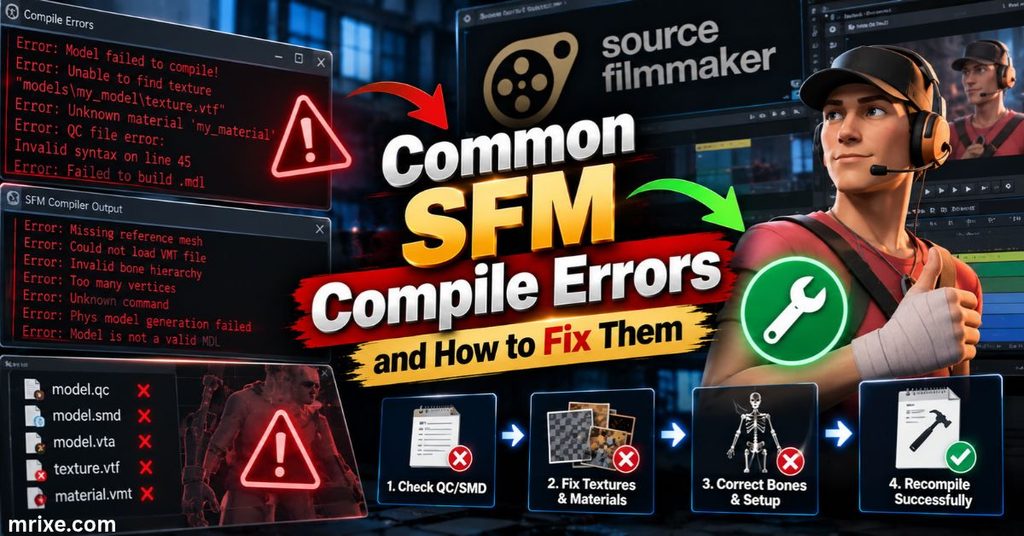
Errors look scary but they follow patterns. This table covers the most common ones.
| Symptom | Likely cause | Fix |
|---|---|---|
| Crowbar says studiomdl doesn’t exist | Wrong path in game setup | Open Set Up Games and select SFM’s compiler |
| Compiler prints nothing | Wrong game’s studiomdl in use | Use the target game’s own studiomdl |
| “Cannot open file” | QC path or file name wrong | Check spelling, folders and case |
| Purple-and-black checkerboard | Missing VMT or VTF | Match $cdmaterials to the real folder |
| Model compiles but doesn’t appear | Wrong output folder | Copy files to usermod and restart SFM |
| Compile fails on a dense mesh | Vertex count too high | Reduce polygons or split meshes |
| Model in T-pose | Missing reference pose or sequence | Add a proper reference sequence |
| Bones twist or collapse | Bone name mismatch | Align bone names across all files |
| Model too large or small | Export scale | Fix scale in your 3D app |
| Faces look inside-out | Flipped normals | Recalculate normals before export |
File not found
The compiler can’t find a file named in your QC. Typos cause most cases. Folder names matter too. A file in work/crate/ isn’t found if the QC sits one folder up and doesn’t include the subfolder.
Place the QC and the SMD files in one folder while you learn. That removes path confusion.
Could not load file
This message often means a file is damaged or in the wrong format. Re-export the SMD. Open it in a text editor and make sure it starts with version 1 followed by nodes.
Missing textures
Missing textures come in two flavors. In the first, the VMT is missing. In the second, the VMT exists but points to a VTF that doesn’t. Open the VMT and follow its paths manually. Then check each file on disk.
Purple-and-black checkerboard
This pattern is Source’s way of saying a material can’t be found. It’s almost always a path issue.
Check in order:
- Does the VMT exist in
usermod\materials\...? - Does the file name match the material name in the model?
- Does
$cdmaterialsend with a slash and match the folder? - Does the VMT’s
$basetexturepoint to a real VTF?
Model compiles but does not appear
The model exists but SFM can’t see it. Make sure the files are in usermod\models. Confirm that .mdl, .vvd and .vtx files all share a base name. Restart SFM to clear cached entries.
Bone or rigging problems
When animations distort a model, the skeleton is usually the issue. Bone names must match between your reference mesh and animation files. Missing bones in animation SMDs cause twisted limbs.
Case study: a path error in Crowbar
A Crowbar user posted that their compile failed before it started. The error said the compiler path didn’t exist. It pointed at SFM’s game\bin\studiomdl.exe.
The replies on the Steam group explained the cause. The game setup hadn’t been configured. Open the Set Up Games tab. Browse to the game’s executable, the gameinfo file and the compiler. After that the compile ran.
Lesson: when Crowbar fails instantly, check Set Up Games before touching your model.
Case study: a weapon that wouldn’t compile cleanly
Another forum thread described a creator recompiling a decompiled weapon with Crowbar. The same source files kept failing. One helper suspected a very high vertex count in the model. The log also showed warnings about unknown commands in the generated script.
Lesson: logs tell the real story. When a decompiled QC throws warnings, read each one and fix them in order.
Illustrative scenario: the invisible crate
A creator exports a crate from Blender. The compile succeeds. In SFM the crate shows up as a checkerboard.
The QC says $cdmaterials "models/crate/". The VMT sits in materials/models/props_custom/crate_small/. The paths don’t match. Changing the QC line to models/props_custom/crate_small/ and recompiling fixes it in under a minute.
Debugging Flow: When SFM Won’t Load Your Compiled Model
Don’t change five things at once. Walk through this checklist.
Confirm the MDL exists. Look in usermod\models\.... You should see .mdl, .vvd and at least one .vtx file.
Check the model path. Search SFM’s Model Browser for the exact name from $modelname. Spelling mistakes hide models fast.
Verify supporting files. A missing .vvd or .vtx stops the model from loading. A missing .phy only matters if the model needs physics.
Check materials. Open the VMT and verify every path. Confirm the VTF files exist.
Restart SFM. The editor caches models. A restart forces a fresh read.
Read the console. SFM prints loading errors in its console. Look for lines naming your model or materials.
Recompile one change at a time. Change a single item. Test. Repeat. That habit builds confidence quickly.
Rigging Essentials for Compile-Ready Models
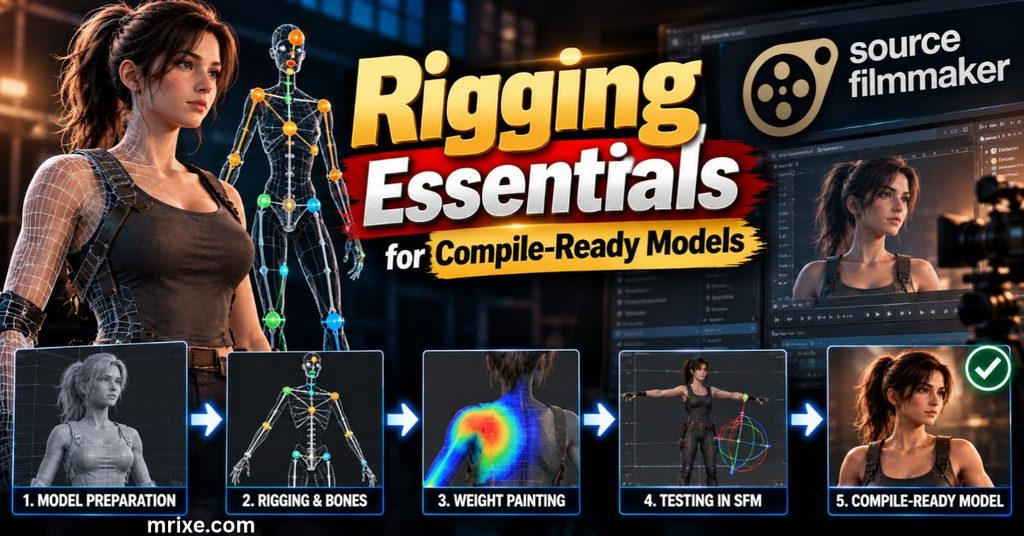
Rigging deserves its own deep-dive. For compile success you only need the essentials.
Bones
Bones form the skeleton. Each has a name and a parent. Keep names consistent in every file you export. Valve’s standard biped rig uses names like ValveBiped.Bip01_Pelvis. Crowbar’s decompiler even strips the ValveBiped. prefix in some cases (see the Crowbar changelog).
Most Source branches cap models at 128 bones. Keep your rig well below that. Fewer bones also make animation easier.
Skinning and weight painting
Weights decide how much each bone moves each vertex. Keep these rules in mind:
- Limit influences to three bones per vertex
- Normalize weights so each vertex totals one
- Test deformation by posing joints at extreme angles
- Avoid unweighted vertices
Unweighted vertices can stay frozen in space. Those cause spikes in the mesh.
Animations
Every animation is a separate sequence in the QC. Your reference pose (often a T-pose or A-pose) anchors the rest. Animation files must use the same bone names and hierarchy.
If you only need SFM to pose the model by hand, a single reference sequence is enough. SFM’s own tools handle the animation from there.
Facial flexes
Facial animation uses flexes. In Blender these come from shape keys. DMX export carries them into the compile. Name shape keys clearly so SFM’s controllers are easy to find.
Using Existing Models: Decompile, Edit and Recompile
Plenty of SFM Compile work starts with a model someone else made. Crowbar’s Decompile tab turns an .mdl back into editable parts.
How decompiling works
Choose the MDL file. Click Decompile. You get QC files and SMD, VTA or DMX meshes. Import those into Blender, edit them and recompile.
One experienced guide, Steak’s Docs, recommends the SFM engine branch for decompiling because it’s the most versatile. The same guide explains that engine branches differ. A Counter-Strike: Global Offensive setup, for example, can’t decompile Team Fortress 2 models. The author also labels the whole practice “HEAVILY not suggested to do,” so treat it as a repair tool rather than a casual shortcut.
Where to find models
- Steam Workshop content for SFM
- Game VPK archives unpacked with Crowbar
- Community sites that share ports and custom models
Permission and credit
Many creators publish with terms. Read them. Credit the original author in your video description. If a model says “no edits,” respect that.
SFM Compile vs. Garry’s Mod Compile
Both games run on Source. Their compile rules are close but not identical.
| Feature | SFM | Garry’s Mod |
|---|---|---|
| Crowbar game setup | Source Filmmaker | Garry’s Mod |
| Compiler used | SFM’s studiomdl | GMod’s studiomdl |
| Output folder | game\usermod\models | garrysmod\models |
| Facial flexes | Strong DMX support | Supported with VTA and flex files |
| Ragdoll physics | Optional | Needs $collisionjoints for ragdolls |
| Player models | Not needed | Require specific animation sequences |
A model compiled for one game won’t automatically work in the other. The engine branch matters. Recompile from the source files using the target game’s compiler.
SFM also doesn’t need gameplay features. You skip ragdoll joints and player animation sets unless the scene calls for them. That’s one reason SFM compiles are often simpler.
Is SFM Still Supported?
Yes. Valve keeps SFM available and the community remains active.
| Fact | Detail |
|---|---|
| Price | Free |
| Release status | Public beta on Steam |
| User reviews | 43,506 total as of July 2026 |
| Positive reviews | About 92.9% (40,431 positive) |
| Steam rating | Very Positive |
| Concurrent players | About 1,063 in mid-2026 |
| Recorded peak | 1,752 players on November 11, 2023 |
| Average (June 2026) | 917 players |
These numbers come from Steambase. They show a steady audience more than a fading one.
Valve also ships a separate Source 2 Filmmaker with the Half-Life: Alyx Workshop Tools. The Valve Developer Community guide says it lets you use Half-Life: Alyx assets. Its pipeline differs from SFM’s. Source 1 SFM Compile steps in this guide don’t apply there.
Best Practices for Clean, Reliable Compiles
Good habits prevent most failures.
Keep source files organized
Use one folder per model. Put the QC, meshes, textures and notes together. Name subfolders by purpose: meshes, textures and qc.
Use simple filenames
Stick to lowercase letters, numbers and underscores. Avoid spaces and special characters. Source tools handle plain names best.
Keep paths consistent
Pick one naming scheme and reuse it. If your model folder is custom/hero, your materials folder should be models/custom/hero. Matching names make errors easy to spot.
Test one change at a time
Change the QC. Compile. Test. Don’t edit meshes, textures and paths together. When something breaks you’ll know the cause.
Keep backups
Save your Blender file and QC before every major change. Version folders such as v1 and v2 work fine. Cloud storage or Git works better.
Use a reusable QC template
Keep a tested QC file in a folder called templates. Copy it for each new project. Editing a working file beats writing from scratch.
Preview before SFM
Open Crowbar’s Preview tab after every compile. It catches missing materials and wrong scale in seconds.
Frequently Asked Questions About SFM Compile
What is a QC file used for in SFM compiling?
A QC file is a script that tells the compiler how to build your model. It lists the meshes, materials, animations and physics. Without it, studiomdl has nothing to process.
Do I need Crowbar to compile?
No. Crowbar is a friendly front end for studiomdl. You can run the compiler from the command line. Most creators still use Crowbar since it manages paths and logs.
Do I need to know how to code?
No. QC files use simple commands rather than programming logic. If you can edit a text file and follow a template, you can write one.
Why does my model show a purple-and-black checkerboard?
SFM can’t find the material. Check that your VMT and VTF files exist. Make sure $cdmaterials in the QC matches the real folder path.
Why does my model compile but not appear in SFM?
The files probably sit in the wrong folder. Copy the MDL, VVD and VTX files into usermod\models. Restart SFM and search for the exact model name.
Can I use models from other Source games?
Often yes. Unpack the files with Crowbar. Some models load directly from game content. Others need decompiling and recompiling for SFM’s engine branch.
Can one compile work for both SFM and Garry’s Mod?
Not reliably. Each game uses its own compiler branch. Recompile from your source files for each target.
What is the easiest way to learn SFM compiling?
Start with a simple cube. Write a four-line QC. Compile it with Crowbar. Load it in SFM. Then add textures, then a second mesh and then a skeleton. Small wins build real skill.
Conclusion
SFM Compile looks technical at first. In reality it’s a short chain: export your mesh, convert your textures, write a QC and run the compiler. Each link has a clear job.
Remember the key rules. Match your paths exactly. Point Crowbar at SFM’s own compiler. Read the log every time. Change one thing at a time.
Your next step is simple. Build a plain cube in Blender. Use the prop QC from this guide. Compile it and place it in a scene. Once that works, every character and set you build follows the same pattern.

Nathan Cooper is a humor writer who enjoys creating clever puns, witty jokes, and lighthearted content that brings smiles to readers. He loves sharing fresh, family friendly humor that’s fun, engaging, and easy to enjoy.