

You spend three hours on a custom character. You export it and drag it into Source Filmmaker. Nothing appears. Or worse, you get a pink-and-black checkerboard staring back at you.
That moment stops a lot of new animators. It usually comes down to one missing step: the sfm compile process. This guide explains what it means, how it works, and how to fix the problems that trip up beginners.
In short: an sfm compile converts your model files (SMD or DMX) and a small text script called a QC file into the MDL file set that Source Filmmaker reads. No programming is involved. Think of it as packing a suitcase. The QC file is the packing list, and the compiler does the packing.
What Does “SFM Compile” Actually Mean?
The word “compile” scares people because it sounds like software engineering. Relax. Here, it means converting and bundling.
Source Filmmaker (SFM) can’t read a Blender file. It can’t read an FBX either. It reads Source Engine model files. Your job is to turn your raw 3D data into those files. The tool that does the conversion is called studiomdl, Valve’s model compiler. Most people run it through a free interface called Crowbar.
Valve describes its own creation on its Steam page like this:
“The Source Filmmaker (SFM) is the movie-making tool built and used by us here at Valve to make movies inside the Source game engine.”
Because the tool runs on the Source Engine, everything inside it must follow Source rules. Compiling is how you meet those rules.
Inputs and Outputs at a Glance
The table below shows what goes into a compile and what comes out.
| File type | Role | Direction |
|---|---|---|
| .smd | Mesh, bones, or a single animation | Input |
| .dmx | Mesh with extras such as facial flexes | Input |
| .qc | Script that tells the compiler what to build | Input |
| .vtf | Texture image in Valve’s format | Input (prepared separately) |
| .vmt | Material file that points to the texture | Input (prepared separately) |
| .mdl | Main model file with bones, sequences, and hitboxes | Output |
| .vvd | Vertex data | Output |
| .dx90.vtx | Render-ready mesh strips for DirectX 9 | Output |
| .phy | Collision and physics data | Output (optional) |
| .ani | Extra animation data | Output (optional) |
Notice something important. Textures aren’t part of the model compile. That’s why a model can compile perfectly and still look broken.
Three Things People Mean by “Compile”
Search results for this topic get messy because the word has three uses.
- Model compile: the main topic here. It turns meshes and a QC into an MDL.
- Map compile: Hammer maps go through three tools (VBSP, VVIS, and VRAD) to become BSP files.
- Movie export: some creators say “compile” when they mean rendering the final video.
You’ll also see odd spellings. Some people type afm compile by mistake because the A and S keys sit side by side. Others type sfm.compile as if it were a command or a file. It isn’t. No official “sfm.compile” command exists. People simply type it that way into search bars. Whichever version you searched, the answer is the same: use studiomdl, usually through Crowbar.
Is SFM Compile Still Relevant in 2026?
Yes, and the reason is simple. The toolchain barely changes.
Source Filmmaker remains a free public beta on Steam. The store page shows roughly 29,700 user reviews with about 92% positive. Fans keep making videos, posters, and short films with it. Every one of those creators who uses custom content relies on the same compile workflow.
However, you should know the full picture:
- SFM development has slowed. Community discussions describe years without major updates. That’s community sentiment, not an official Valve statement.
- Crowbar is stable. Its latest public changelog entries date to 2023. Version 0.74 is the build most users report.
- Studiomdl ships with SFM. You’ll find it inside the SFM folder under game, then bin.
- Source 2 is different. Valve released Source 2 Filmmaker in May 2020 alongside the Half-Life: Alyx tools. It uses another pipeline. Studiomdl and Crowbar don’t apply to it.
- Alternatives exist. Facepunch announced its own successor for S&box in February 2023. Community projects like Pragma Filmmaker exist too. They’re separate workflows with their own tools.
The bottom line? Everything in this guide still works. Old tutorials stay accurate because the compiler never changed.
Quick Status Table for 2026
| Item | Status |
|---|---|
| Source Filmmaker price | Free |
| Release state | Public beta |
| Compiler used | studiomdl |
| Most common front end | Crowbar 0.74 |
| Works with Source 2 Filmmaker | No |
| Best free modeling program | Blender |
How the SFM Compile Pipeline Works
Picture an assembly line with two parallel tracks that meet at the end.
| Stage | Model track | Texture track |
|---|---|---|
| Start | Blender model | Texture image (PNG or TGA) |
| Export or convert | Export SMD or DMX | Convert with VTFEdit |
| Instructions | Write the QC file | Write the VMT file |
| Build | Compile with studiomdl | Save VTF and VMT |
| Result | MDL file set in the models folder | Files in the materials folder |
| Final step | Both tracks meet in the SFM Model Browser | Both tracks meet in the SFM Model Browser |
Here’s what happens at the compile stage. Studiomdl reads your QC first. Next, it opens each mesh listed there and builds the bone hierarchy. Then it creates physics data, optimizes the mesh into render strips, and writes the final files.
Meanwhile, the texture track runs on its own. You convert an image into a VTF and write a VMT that points to it. When SFM loads the model, it looks for materials using paths stored inside the MDL. If those paths don’t match your folders, you get the checkerboard.
That single fact explains most beginner failures. Two tracks must meet at the same address.
The Software You Need for SFM Compile
You don’t need a big toolbox. Five free programs cover everything.
| Tool | Purpose | Cost |
|---|---|---|
| Source Filmmaker | Target program and home of studiomdl | Free |
| Blender | Modeling and rigging | Free |
| Blender Source Tools | SMD and DMX export add-on | Free |
| Crowbar | Graphical compiler and decompiler | Free |
| VTFEdit | Texture and material creation | Free |
Source Filmmaker (Free)
Install SFM through Steam first. The installation provides the compiler and the folder where your models will live. Launch it once so it builds its default folders. Skipping this launch can leave you without a usermod folder later.
3D Modeling Software
Blender is the popular choice because it costs nothing and has strong rigging tools. Add Blender Source Tools to export SMD and DMX files. Before you update Blender, check which Blender versions the add-on supports. A new Blender release can break an older add-on.
Other programs work too. Maya and 3ds Max users just need an SMD exporter for their software.
Compiling Tools
Crowbar calls itself a “GoldSource and Source Engine Modding Tool.” It gives you buttons instead of a command prompt. You choose a QC, choose a game setup, and press Compile. It also decompiles, which turns finished models back into editable files.
You can also run studiomdl directly from the command line. Experienced modelers like this because the raw log shows every warning.
Text Editor and Texture Tools
Use Notepad++ or VS Code to write QC files. Line numbers matter because compile errors often point to a specific line. Use VTFEdit to turn PNG or TGA images into VTF files and to create VMT files.
Set Up Your Folders Before You SFM Compile
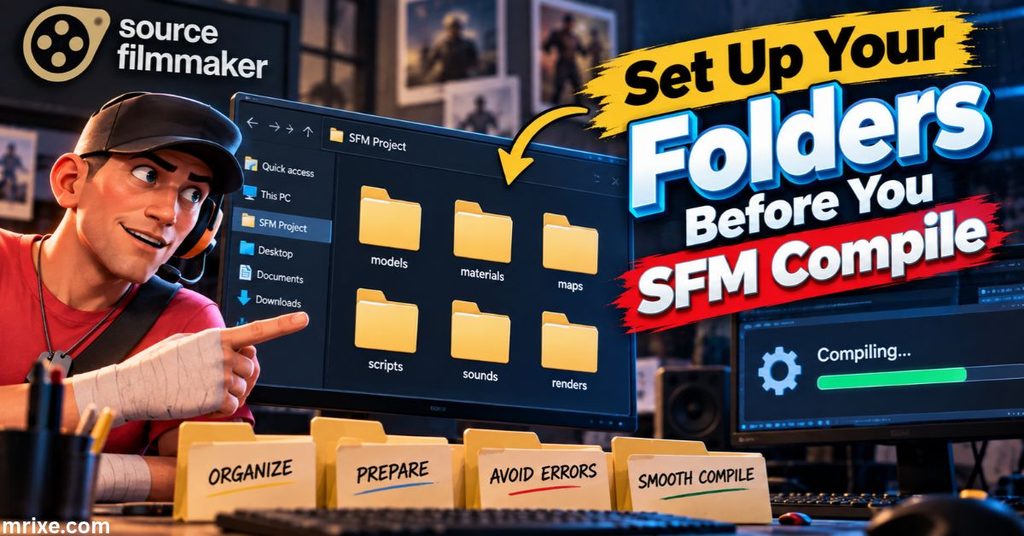
Path mistakes cause more failed compiles than any other problem. Fix your folder plan first and half your errors vanish.
The Two Locations That Matter
Working folder (your project, anywhere on your drive):
crate_project/
├── crate.qc
├── crate_ref.smd
└── crate_phys.smd
SFM target folder (where compiled files go):
SourceFilmmaker/game/usermod/
├── models/
│   └── mymodels/
└── materials/
    └── models/
        └── mymodels/
            └── crate/
Path Rules You Can’t Skip
- $modelname is relative to the models folder.
- $cdmaterials is relative to the materials folder.
- Use lowercase and skip spaces.
- Keep your slashes consistent.
- Avoid writing into Program Files if permissions block you. Run Crowbar as administrator or choose a custom output folder.
Pro tip: Use a unique folder name such as “mymodels” or your own handle. That prevents your files from overwriting Workshop content.
Understanding the QC File for SFM Compile
The QC file is plain text. It doesn’t hold your model. It directs the compiler. Without a valid QC, studiomdl has no roadmap. With a sloppy one, it stops at the first typo.
Open one in Notepad++ and you’ll see that it reads almost like a list of instructions. Each line starts with a dollar sign command followed by a value.
Key QC Commands Explained
| Command | What it does | Required? |
|---|---|---|
| $modelname | Sets the output name and path | Yes |
| $body or $model | Adds a mesh to the model | Yes |
| $cdmaterials | Tells the engine where to look for materials | Yes |
| $sequence | Defines an animation or a reference pose | Yes |
| $surfaceprop | Sets the material feel, such as wood or metal | Recommended |
| $scale | Resizes the mesh during compile | Optional |
| $bodygroup | Creates swappable parts | Optional |
| $texturegroup | Creates skin variations | Optional |
| $attachment | Adds attachment points for props and effects | Optional |
| $collisionmodel | Adds physics from a separate mesh | Optional |
| $definebone | Adjusts bone data | Optional |
| $lod | Adds lower-detail versions | Optional |
| $staticprop | Flags the model for map use | Optional |
Skip $staticprop if you plan to pose the prop in SFM. That flag tells the engine the object never moves.
A Simple Annotated Example
Here’s a full QC for a wooden crate. Each comment explains the line above it.
$modelname "mymodels/crate.mdl"
// Output path, relative to the models folder

$body "crate" "crate_ref.smd"
// The visible mesh, named "crate"

$cdmaterials "models/mymodels/crate/"
// Material folder, relative to the materials folder

$surfaceprop "wood"
// Sets the impact sound and feel

$sequence idle "crate_ref" fps 30
// A required pose, even for static objects
Every model needs at least one sequence. That’s why a plain prop still needs an “idle” line.
Want physics? Add this block:
$collisionmodel "crate_phys.smd" {
    $mass 20
    $concave
}
What Changes for Characters
Characters need more instructions. Expect these additions:
- Bodygroups for clothing and accessories
- Texture groups for skins
- Hitboxes for selection and collision
- Collision joints for ragdoll physics
- Attachments for weapons, hats, and effects
- Flexes for facial poses, which need DMX export
Facial animation deserves its own note. SFM’s face posing depends on flex data. If you export a plain SMD, the face controls won’t exist.
Learn by Decompiling
Here’s a shortcut most beginners miss. Open Crowbar and decompile a working model. You’ll get its QC file. Read it side by side with yours. Nothing teaches QC syntax faster than a real example that already works.
Only decompile models you have permission to study. Learning from a file is fine. Republishing someone’s work isn’t.
Step-by-Step: How to Compile a Model for SFM
Follow this order. Skipping steps costs more time than it saves.
- Prepare the mesh. Apply all transforms in Blender. Check the scale. Keep a single armature. Limit each vertex to three bone weights, which is the Source Engine’s cap.
- Export. Use Blender Source Tools to export the reference mesh and any animations as SMD or DMX.
- Make textures. Convert images to VTF with VTFEdit. Create a VMT for each material.
- Write the QC. Save it in your working folder next to the SMD files.
- Configure Crowbar. Open the Set Up Games tab. Choose Source Filmmaker and point it to the studiomdl file inside the SFM game and bin folder. Then open the Compile tab, select your QC, and choose the output folder.
- Compile. Press the button. Read the log from top to bottom. Warnings matter as much as errors.
- Load in SFM. Open the Animation Set Editor, right-click, and choose Create Animation Set for New Model. Pick your model from the browser. If it doesn’t appear, restart SFM.
- Test. Move bones. Check textures. Test physics if you added them.
Crowbar Tabs at a Glance
| Tab | What it does |
|---|---|
| Set Up Games | Links Crowbar to the correct compiler and game folder |
| Compile | Runs your QC through studiomdl |
| Decompile | Turns an MDL back into SMD and QC files |
| View | Previews a compiled model |
| Pack and Unpack | Handles VPK and GMA packages |
The Command-Line Alternative
Prefer typing? Run studiomdl yourself. The pattern looks like this:
studiomdl.exe -game "C:\Program Files (x86)\Steam\steamapps\common\SourceFilmmaker\game\usermod" -nop4 "C:\projects\crate\crate.qc"
Here’s what each part does:
- -game points to the folder where the finished files go.
- -nop4 turns off Perforce version-control checks, which you don’t need.
- The last item is the path to your QC.
Add -verbose when you need extra detail in the log.
Common SFM Compile Errors and Fixes
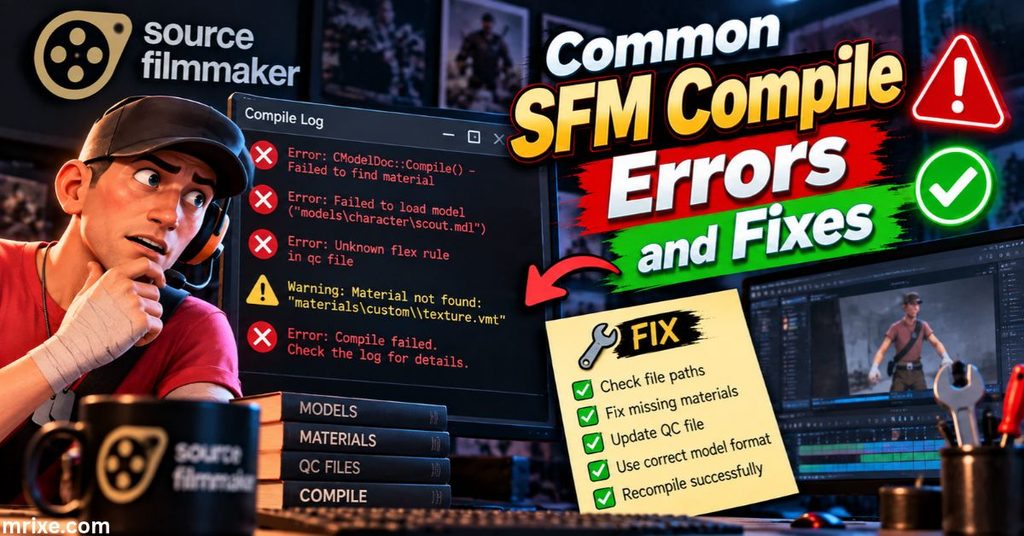
Every animator meets these errors. Here’s how to read them. Exact wording can vary slightly by version.
| What you’ll see | Likely cause | Fix |
|---|---|---|
| Can’t open or find a file | Wrong path or spelling in QC | Check that each filename matches exactly |
| Message about missing sequences | No $sequence line | Add an idle sequence using your reference SMD |
| Too many bones | The rig exceeds the compiler’s cap | Delete unused bones or merge parts |
| Too many vertices | One model part is too dense | Split the mesh into pieces |
| Unknown command | Typo in a QC command | Compare against a known working QC |
| Syntax error near a line | Missing quotation mark or brace | Open the line number and check punctuation |
| Bone referenced but not found | QC names a bone the SMD lacks | Match bone names exactly |
| Failed to write files | Permission block in the output folder | Run as administrator or change the output path |
Two limits deserve numbers. Keep each mesh under roughly 65,000 vertices. And keep the bone count well below the standard Source limit of 128.
A quick habit helps. Fix the first error only, then recompile. Later errors often cascade from the first one.
Why You Get Pink-and-Black Checkerboards After an SFM Compile
This is the most searched problem in the whole topic. It also has the most predictable cause: the engine can’t find your material.
Some people call it purple-and-black. The meaning is identical. Follow this diagnostic order:
- Does the VMT exist? It must sit inside your materials folder.
- Does the base texture line point to a real VTF? Write the path without the file extension.
- Does $cdmaterials match the folder? Compare the QC path to the real folder character by character.
- Are the files in the usermod materials folder? Files placed elsewhere won’t load.
- Do the material names match? The material name inside your SMD must match the VMT filename.
A working VMT can be very short:
"VertexLitGeneric"
{
    "$basetexture" "models/mymodels/crate/crate_diffuse"
    "$surfaceprop" "wood"
}
Here’s another distinction. A red word “ERROR” floating in the scene means the whole model is missing. A checkerboard means the model loaded but the material didn’t. Different symptom, different fix.
Texture Guidelines
| Rule | Recommendation |
|---|---|
| Size | Power of two, such as 512, 1024, or 2048 |
| Maximum size | 4096 pixels |
| Source format | PNG or TGA |
| Final format | VTF |
| Normal maps | Separate VTF referenced in the VMT |
When SFM Won’t Load Your Compiled Model
Sometimes the compile succeeds and SFM still misbehaves. Match your symptom below.
| Symptom | Probable cause | Fix |
|---|---|---|
| Model isn’t in the browser | Wrong folder or wrong mod directory | Confirm files sit in the usermod models folder; restart SFM |
| Mesh stretches or explodes | Bad weights or mismatched bones | Normalize weights; limit to three per vertex |
| Model appears too big or small | Export units or $scale | Reset Blender scale to 1 or add $scale |
| Model stands in a T-pose | No animation, only a reference pose | Normal behavior; animate it in SFM |
| No facial controls | Flexes weren’t exported | Export DMX with shape keys |
| Model looks very dark | Flipped normals | Recalculate normals in Blender |
| SFM crashes on load | Too many bones or a corrupted compile | Simplify the rig and recompile |
Start with a clean test. Compile a cube. If the cube loads, the setup is fine and the problem sits inside your model.
Best Practices for Clean, Reliable SFM Compile Results
Small habits prevent big headaches.
- Start tiny. Compile a cube before a character.
- Add features one at a time. Add bodygroups, then physics, then flexes.
- Keep every asset in its own project folder. Include the QC, meshes, and material files.
- Save old QC versions. A backup beats a rewrite.
- Use lowercase and no spaces. Paths behave better.
- Save every compile log. They help you spot patterns.
- Use unique folder names. Avoid clashes with Workshop content.
- Add $lod levels only when needed. SFM renders offline, so it forgives dense meshes more than a game does.
- Never troubleshoot with two changes at once. Change one thing per compile.
Pre-Compile Checklist
| Check | Done? |
|---|---|
| Transforms applied in Blender | ☐ |
| One armature only | ☐ |
| Max three weights per vertex | ☐ |
| Material names match VMT names | ☐ |
| QC paths are lowercase | ☐ |
| Idle sequence included | ☐ |
| Output folder is writable | ☐ |
Rigging and Animation Basics After Your SFM Compile
Your model compiled. Now it needs to move.
SFM reads your bone hierarchy and builds an animation set. Each bone becomes a control you can rotate and position. Clean names and a logical parent chain make posing far easier.
Here’s what to keep in mind:
- Bone names matter. Matching Valve’s biped naming lets you reuse existing animations.
- Extra animations come through $sequence. Export each motion as its own SMD and list it in the QC.
- Face posing needs flexes. Blender shape keys export through DMX and become sliders in SFM.
- Physics joints affect ragdolls. Keep them modest to avoid twisting.
Valve’s own tutorial videos remain a solid place to learn the animation side. They cover the timeline, the graph editor, and camera work in plain language.
Where to Get Models, Assets, and Ports
You have three sources: build it yourself, download from the community, or convert from another format.
- Steam Workshop hosts models made for SFM.
- Community sites host models and ports from many games.
- Your own work in Blender gives you full rights and control.
A word on legality. Ported and ripped assets carry license limits. Extracting a model from a commercial game doesn’t give you rights to publish it. Always read the creator’s terms first. When in doubt, ask permission or make your own version.
Other Things People Mean by SFM Compile
Sometimes the phrase points elsewhere. Here are the two other meanings.
Exporting Your Finished Movie
Rendering a finished shot uses File, then Export, then Movie. You can output a video file or an image sequence. Image sequences in PNG or TGA keep the highest quality. They also let you resume if a render crashes halfway. Many creators then join the frames in a video editor.
Compiling Maps
Custom maps use Hammer and the three map tools VBSP, VVIS, and VRAD. The result is a BSP file. SFM can load it as a scene. Map compiling is a separate skill with its own settings for lighting and visibility.
Your First SFM Compile: A 30-Minute Beginner Workflow
Ready to try it? Follow this route.
- Install SFM, Blender, Blender Source Tools, Crowbar, and VTFEdit.
- Make a plain cube in Blender. Name the material “crate_mat.”
- Export it as “crate_ref.smd.”
- Create a 512 by 512 texture. Convert it to VTF. Write the VMT.
- Write the five-line QC from earlier.
- Set up Crowbar and compile.
- Open SFM, create a new animation set, and pick your cube.
Success looks like this: the cube appears in the viewport with its texture. If it does, you’ve mastered the full loop. Every later model repeats the same steps with more detail.
Typical Time Estimates
| Task | Approximate time |
|---|---|
| Install all tools | 15 to 30 minutes |
| Simple prop compile | Seconds |
| Detailed character compile | A few minutes |
| Debugging your first error | 10 to 20 minutes |
Real-World SFM Compile Case Studies
These composite scenarios reflect patterns creators report again and again.
Case Study: The Crate That Turned Pink
A beginner compiled a wooden crate. The mesh loaded fine but showed a checkerboard. The QC said the material path began with the word “materials.” The engine already starts inside the materials folder. Removing that extra word fixed the problem in one recompile.
Lesson: Never add the folder name the engine already assumes.
Case Study: The Exploding Character
An animator rigged a character with automatic weights. The mesh compiled without errors. In SFM, the arms stretched across the scene. Some vertices carried five bone influences. Limiting weights to three and normalizing them solved it.
Lesson: A clean compile doesn’t guarantee a clean rig.
Case Study: The Permission Wall
A creator saved everything to the SFM folder in Program Files. Crowbar reported a write failure. Running Crowbar as administrator solved it. Choosing a different output folder and copying the results also worked.
Lesson: Protected folders can quietly block your output.
Conclusion
The sfm compile process sounds technical. In practice, it’s a conversion step with a predictable routine. Prepare the mesh. Write the QC. Compile with Crowbar. Load the model.
Here are the three takeaways:
- An sfm compile is a conversion. It turns meshes and a QC into Source Engine files.
- Paths cause most failures. Check $modelname and $cdmaterials first.
- The tools remain stable. SFM’s updates have slowed, yet the workflow still works in 2026.
So open Blender and compile that cube today. Once it works, you’ll never fear the checkerboard again.
Frequently Asked Questions About SFM Compile
What is a QC file used for in SFM compiling?
A QC file is a text script that tells studiomdl which meshes, materials, animations, and physics to bundle into your model. It sets the model’s name, its material folder, and its sequences. Without it, the compiler can’t build anything.
Why does my compiled model show up as a purple-and-black checkerboard?
The engine can’t find your material. Check that the VMT exists, that the base texture line points to a real VTF, and that $cdmaterials matches your folder. Put all material files inside the usermod materials folder.
Can I compile models without Crowbar?
Yes. You can run studiomdl from the command line with the -game option and the path to your QC. Crowbar simply wraps that same compiler in a friendly interface.
Is Source Filmmaker still supported by Valve?
SFM is still available free on Steam as a public beta. Updates have been rare according to community discussions. Valve’s Source 2 tools continue separately. The model compile process still works.
What’s the difference between compiling for SFM and compiling for Garry’s Mod?
The compiler setup and output folder differ. SFM models go into the usermod folder or the Workshop. Garry’s Mod models go into its own game folder and usually ship as an addon package. Choose the right game setup in Crowbar before you compile.
Do I need to know coding to write a QC file?
No. QC files use simple text commands. Careful spelling and correct paths matter far more than any programming skill.
Can Crowbar compile Source 2 models?
No. Source 2 uses a different toolchain. Crowbar and studiomdl target the original Source Engine only.
Why does Crowbar say it can’t find studiomdl?
The game setup points to the wrong folder. Open Set Up Games in Crowbar and select the studiomdl file inside the SFM game and bin folder again.
Is “sfm.compile” a real command?
No. People type “sfm.compile” or “afm compile” into search engines when they look for the model conversion process. The real tool is studiomdl, usually launched through Crowbar.
How long does an SFM compile take?
Simple props finish in seconds. Detailed characters with many bones can take a few minutes. Very long compiles usually point to oversized meshes or too many animations.

Nathan Cooper is a humor writer who enjoys creating clever puns, witty jokes, and lighthearted content that brings smiles to readers. He loves sharing fresh, family friendly humor that’s fun, engaging, and easy to enjoy.