

You found a link that starts with filesxpress.com. Maybe a tech support agent sent it years ago. Maybe it’s sitting in an old email. Either way, you want to know what it is and whether it’s safe to open.
Fair question. This guide answers it with facts I checked on October 11, 2026, including what the site shows today and how people used it in real support conversations.
FilesXpress.com at a Glance
| Item | What the evidence shows |
|---|---|
| Domain | filesxpress.com |
| Original role | A free site for uploading a file and getting a share link |
| Common users | Customers and technicians in online tech-support chats |
| Short link style | filesxpress.com/d- plus eight characters |
| Long link style | filesxpress.com/download- plus a long random string |
| Homepage today | A WordPress blog with Technology, Finance, Business, Education, Fashion, Health, and Travel categories |
| Newest posts | Two FilesXpress articles dated September 21, 2026 |
| Paid placements | Listed on Adoovy as a site that sells sponsored articles |
What Is FilesXpress.com?
FilesXpress.com started life as a simple file-sharing site. You dropped a file in a box. The site gave you a short link. You sent that link to someone else, and they downloaded your file.
That’s the whole idea. No folders, no team workspaces, no editing tools.
A support thread captured the common understanding well. A participant described FilesXpress as a free site where you can upload files to share with others. That description matches how technicians used it for years.
Today the picture looks different. The homepage I fetched is a blog. It shows general articles rather than an upload box. Its own newest post says the domain has also appeared in older technical-support discussions. In other words, the site now explains its past more than it performs it.
How FilesXpress.com Worked
The workflow had three steps. It took under a minute.
- Upload. You opened the homepage and dragged a file into the file box.
- Get a link. The site generated a short address for your file.
- Share. You pasted that link into a chat or email. The other person clicked it and downloaded the file.
The Two Link Styles
Old support transcripts show two address patterns.
- Short links looked like
filesxpress.com/d-63facb03. They were easy to paste into a chat window. - Long links looked like
filesxpress.com/download-followed by a long string of letters and numbers. The extra characters made the address harder to guess.
Technicians often asked customers to upload a file and then “give me the short download link.” That phrasing appears again and again across threads from roughly 2015 to 2026.
Why the Design Appealed to Support Staff
Chat boxes on many Q&A sites limit attachments. A paperclip icon might fail. A file might be too large. In one thread, a customer reported that the attachment icon wasn’t working in the reply box, so a third-party link solved the problem.
A browser-based upload page needs no installation and no account. For a stressed customer, that’s a big deal.
Why People Used FilesXpress.com
Three reasons stand out.
- Speed. Upload, copy, paste. Done.
- No sign-up. Customers didn’t have to create yet another account.
- Chat-friendly links. Short addresses survive copy and paste better than long cloud-drive URLs.
Think of it like a coat check. You hand over your file and get a ticket. The other person shows the ticket and picks up the coat. Nobody needs to know your name.
How Tech Support Used FilesXpress.com: Real Case Studies
Public Q&A threads show the service in action. Here are five examples. I paraphrased each one.
Case Study 1: The PDF Problem and the Remote Tool
A customer couldn’t open, download, or print PDF files for a week or two. The technician sent a link to a remote-support tool hosted on the site. The customer’s browser then asked whether to run or save Elsinore.ScreenConnect.Client (38).exe from filesxpress.com. When the download failed, the technician compressed the tool into a ZIP file and sent a second link.
Takeaway: The site hosted executable files too. That matters for your safety, which I cover below.
Case Study 2: The Illustrator Business Card
A beginner designed a business card from a template. The printout came out too large. The technician asked for the original AI template, not the finished PDF. After the customer uploaded the files, the technician returned both an AI file and a PDF through short links. The customer finished the thread happy.
Takeaway: The original file holds the settings. An export only shows the result.
Case Study 3: The Word File With an Apostrophe
A MacBook user couldn’t open a Word document. The technician’s diagnosis was the apostrophe in the file name. The fix was a rename to a plain name. The technician renamed the file and shared the corrected copy through a link.
Takeaway: Tiny details like punctuation in a file name can block software. Only a person looking at the actual file spots that.
Case Study 4: The Excel Formula
A customer wanted an IF formula that sums the first four weeks at the point of sale but skips zeros. The customer shared the workbook. The technician fixed it and sent back the finished file through a link.
Takeaway: Spreadsheet problems are easier to solve with the real workbook in hand.
Case Study 5: The Old Genealogy Files
A customer had IFW and IFK genealogy files and no software to open them. The technician explained that files like these generally need the original program. The technician offered to try free or trial software if the customer uploaded the files. Remote access carried an extra fee, so uploading was the cheaper route.
Takeaway: Obscure formats need a person who can test several programs.
What Types of Files Were Shared Through FilesXpress.com?
The threads reveal a clear pattern. Most files were small work or home documents.
| File type | Example from public threads | Why people shared it |
|---|---|---|
| Word documents (.docx) | A file that wouldn’t open on a Mac | Repair or rename |
| Excel workbooks | A broken IF formula | Fix and return |
| Adobe Illustrator (.ai) | A business card template | Check print settings |
| Output from a design file | Compare with the template | |
| Genealogy files (.ifw, .ifk) | Old family-tree data | Find software to open them |
| Directory-style project files | A customer who couldn’t open them | Test with various tools |
| Executables and ZIPs | A remote-support client | Start a support session |
Notice what’s missing. Public threads don’t show large videos or huge archives. The site fit quick document handoffs.
Why Sharing the Original File Can Help
Support staff keep asking for “the real file.” There’s a good reason.
- Screenshots hide settings. A screenshot of a spreadsheet shows numbers. It doesn’t show formulas.
- Exports lose layers. A PDF from Illustrator can’t reveal the artboard size.
- File names matter. As the Word case showed, a stray character can cause the whole problem.
- Metadata tells a story. Version, creation software, and format details all sit inside the original.
Pro tip: Before you send a file to anyone, make a copy. Share the copy. Keep the original untouched.
What the FilesXpress.com Homepage Looks Like Today
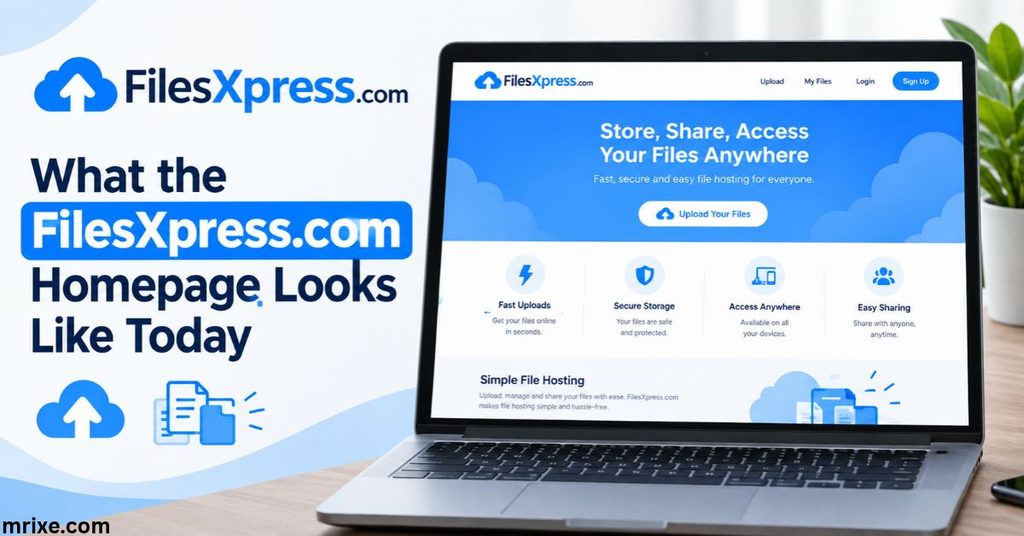
This is where many articles go vague. Here are the facts.
The homepage runs on WordPress and lists posts across several categories. The two newest entries, both dated September 21, 2026, are articles about FilesXpress itself. Older entries include a VPN guide from September 18, 2026, a travel post about Balchik dated May 7, 2025, and an Ethereum article from May 5, 2025. Several marketing posts date back to August 2, 2021.
Footer links point to a Privacy Policy, DMCA Policy, Editorial Policy, Terms and Conditions, Legal Disclaimers, and a Contact page.
A separate directory listing on Adoovy advertises publishing an advertorial on filesxpress.com for SEO purposes. That tells you the domain now earns attention as a publishing platform.
So if you land on filesxpress.com expecting an upload box, you’ll find articles instead. I couldn’t find a working upload tool on the homepage.
Are Old FilesXpress.com Links Still Useful?
Probably not. Here’s why.
- The homepage no longer presents an upload tool.
- Free file hosts commonly delete files after a set period.
- Public support threads from 2015 to 2019 contain links that are now many years old.
Many of those old links are masked. Transcripts show addresses partly hidden with asterisks, such as download-5*****************ce18362b85dbfe. That masking is a platform feature that protects customer files in public posts. It also means a reader can’t reconstruct the link.
Bottom line: Treat an old FilesXpress link as a dead end. If you need the file, ask the sender to share it again through a service you trust.
Be Careful With Old Download Links
Old links deserve suspicion. A domain can change hands. A link that once pointed to a harmless spreadsheet could now point to something else.
The ScreenConnect case shows the main risk. Remote-support tools are legitimate software. They’re also popular with scammers, because they give someone full control of your computer.
Use this quick checklist before you click.
- Who sent it? Do you recognize the sender, and did you ask for help?
- What’s the file type? Documents like .docx or .pdf carry less risk than .exe or .msi files.
- Does your browser warn you? Take any prompt seriously.
- Does the link feel urgent? Pressure is a classic scam tactic.
- Can you confirm by another channel? Call or message the person directly.
Rule of thumb: Never run a program from a link you didn’t request.
What About Privacy?
Let’s stick to what’s checkable.
The site publishes a Privacy Policy and Terms page. The transcripts show long link strings, which make guessing harder. Beyond that, I found no public statement about encryption, retention periods, or file-size limits on the pages I could reach.
That gap has a practical meaning. When a service doesn’t publish its protections, you can’t count on any.
Here’s what that means for you.
- Anyone with the link can download the file. Links work like keys. Whoever holds one gets in.
- You can’t prove deletion. Without a stated retention policy, assume a file might stay online.
- Public posts leak links. Pasting a link into a public forum exposes it to everyone.
Never upload tax forms, IDs, medical records, or financial statements to a service that doesn’t describe its protections.
How to Share a File More Safely
You don’t need fancy tools. Follow these steps.
- Strip the sensitive parts. Remove personal data from the copy you share.
- Pick a service with clear policies. Look for stated retention, encryption, and access controls.
- Share with specific people. Invite an email address rather than posting an open link.
- Set an expiration date. Short-lived links shrink your exposure.
- Add a password when the service allows it. Send the password through a different channel.
- Revoke access afterward. Turn the link off once the job is done.
- Scan what you receive. Run downloads through antivirus software before opening them.
FilesXpress.com vs. Modern Cloud Storage
Cloud drives have moved far past drop-and-link sharing. Here’s how the two approaches compare in general terms.
| Feature | Link-drop sites like old FilesXpress | Modern cloud drives (Google Drive, Dropbox, OneDrive) |
|---|---|---|
| Account needed | Usually no | Usually yes |
| Share with named people | Rare | Standard |
| Revoke access later | Often unclear | Standard |
| Link expiration | Unclear on FilesXpress | Common option |
| Version history | No | Standard |
| Stated security practices | Not published on pages I reached | Published in detail |
| Best for | One-off quick handoffs | Ongoing work and sensitive files |
The tradeoff is simple. Old drop sites were quick. Modern drives are controlled.
Don’t Confuse FilesXpress.com With These Look-Alike Names
Search results mix several similar names. They’re different products.
| Name | What it is | Key facts |
|---|---|---|
| FileXpress | Enterprise file-transfer software | Developed by Attachmate, listed as paid, proprietary, and Windows-based |
| Files.express | A file-transfer project from Tellter | Pitched as a faster, cheaper WeTransfer alternative, currently marked “coming soon” and pre-revenue |
| Files.com | Cloud managed file transfer | Formerly BrickFTP; acquired ExaVault in March 2022 and served over 6,500 customers at that time |
| File & ServeXpress | Legal e-filing provider | Formed in 2012 through the combination of CaseFileXpress and File & Serve |
| PortalsXpress | Secure client portals | Aimed at accountants, law firms, and similar professionals |
A quick tip: check the exact spelling and the domain ending. One extra letter changes everything.
What Should You Do If You Find an Old FilesXpress.com Link?
Follow this plan.
- Don’t click right away. Look at the surrounding message first.
- Identify the source. Was it a support chat, an email, or a forum post?
- Check the file type. If the link ends in an executable, stop.
- Contact the sender. Ask for a fresh copy through a trusted service.
- Scan anything you download. Use updated antivirus software.
- Report suspicious links. Tell your email provider or IT team.
- Clean up. Delete the old message once you’ve saved what you need.
If the link came from a support session you don’t remember, treat it as unverified.
Where Simple File Sharing Is Heading
The trend is clear. Users want speed, but they also want control.
Newer entrants keep promising both. The Tellter project, for example, pitches fast transfers and a privacy-first approach with no intrusive ads. Enterprise platforms emphasize automation and compliance instead. Files.com describes itself as an easy-to-administer platform that combines legacy protocols with modern transfer methods.
Expect three shifts.
- Expiring links by default. Files will disappear on a schedule.
- Named-recipient sharing. Open links will fade.
- Built-in scanning. Platforms will check uploads for malware.
Old drop sites taught the industry that people crave simplicity. The next generation has to deliver it safely.
Frequently Asked Questions About FilesXpress.com
What was FilesXpress.com used for?
It served as a free file-sharing site. Users uploaded a file and received a short link. Tech-support technicians used it heavily to exchange documents, spreadsheets, design files, and tools with customers.
Can I still download an old FilesXpress file?
Probably not. The current homepage is a blog, and I found no working upload tool there. Ask the sender to resend the file through a service with clear security policies.
Was FilesXpress used for technical support?
Yes. Public support threads from roughly 2015 through 2026 show technicians asking customers to upload files and send back short download links. Those threads cover Word, Excel, Illustrator, PDF, and genealogy files.
What files could people share?
Public examples include Word documents, Excel workbooks, Adobe Illustrator templates, PDFs, genealogy files, project files, ZIP archives, and executables. Most were small work or home files.
Should I upload private documents to an unfamiliar file-sharing website?
No. If a site doesn’t publish its encryption, retention, and access policies, assume your file may stay accessible. Use a service that offers named-recipient sharing, link expiration, and the ability to revoke access.
Final Thoughts on FilesXpress.com
FilesXpress.com earned its reputation as a quick, no-fuss way to hand a file to a stranger. Support technicians relied on it for about a decade. Today the domain runs as a WordPress blog, and the upload box that made it useful isn’t on the homepage.
So what should you do? Treat old FilesXpress links as expired. Ask for a fresh copy through a trusted service. Be extra careful with executables. And whenever you share a file, send a copy, limit who can open it, and shut the link when you’re done.
Simple tools are great. Safe habits are better.

Nathan Cooper is a humor writer who enjoys creating clever puns, witty jokes, and lighthearted content that brings smiles to readers. He loves sharing fresh, family friendly humor that’s fun, engaging, and easy to enjoy.